Open to collaborations and professional inquiries

DECYPHER

I build desktop software in C++ and Rust, a game engine, a browser extension and an AI-powered web platform. Most of the native work targets Windows.

  1. 01MenhirMedia workspace · C++
  2. 02Ultimate Network ManagerNetwork diagnostics · Rust
  3. 03Fortece EngineGame engine · C++
  4. 04SnapDumpBrowser extension
  5. 05PartwiseBRWeb platform · AI

01 / Projects

Five projects, five different stacks.

Each project keeps its own look. Every screenshot below comes from the app itself or from its website. Click one to see it full size.

01 / desktop · media

Menhir

Media mastered in one app.

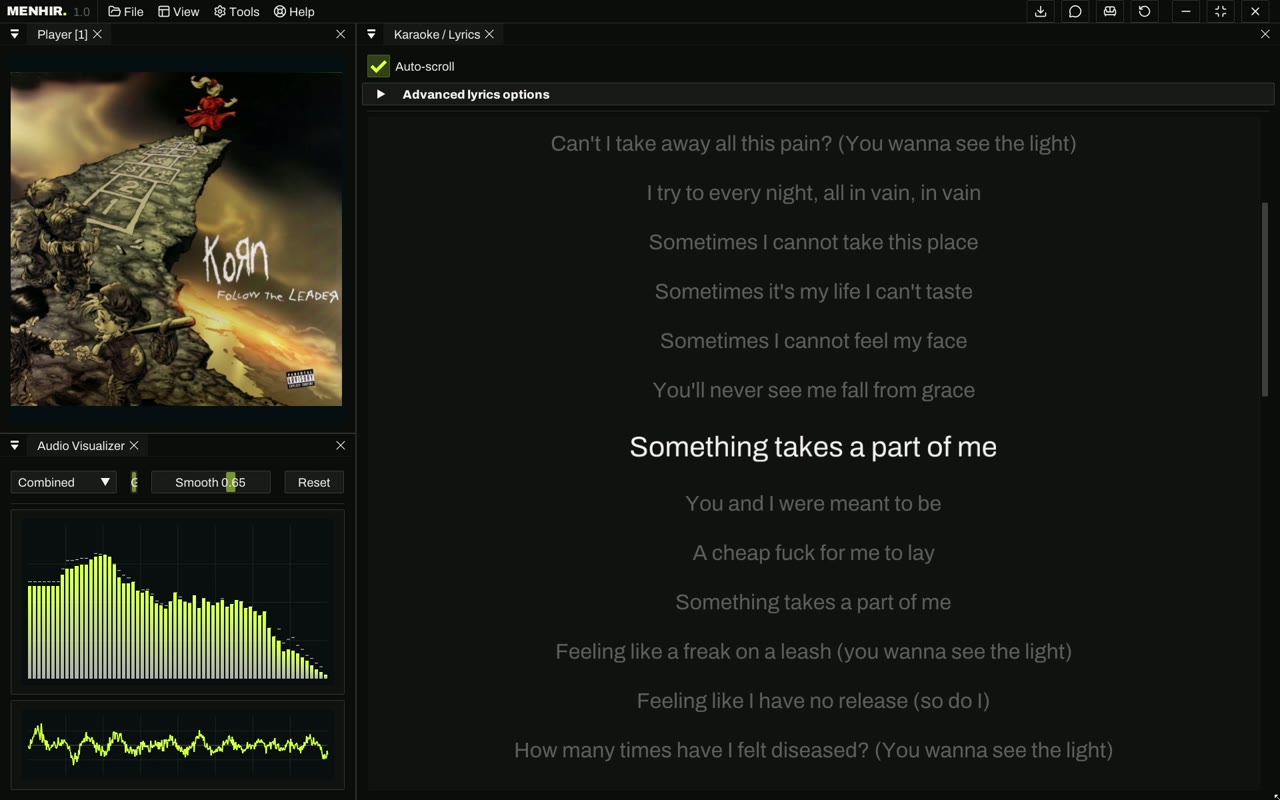
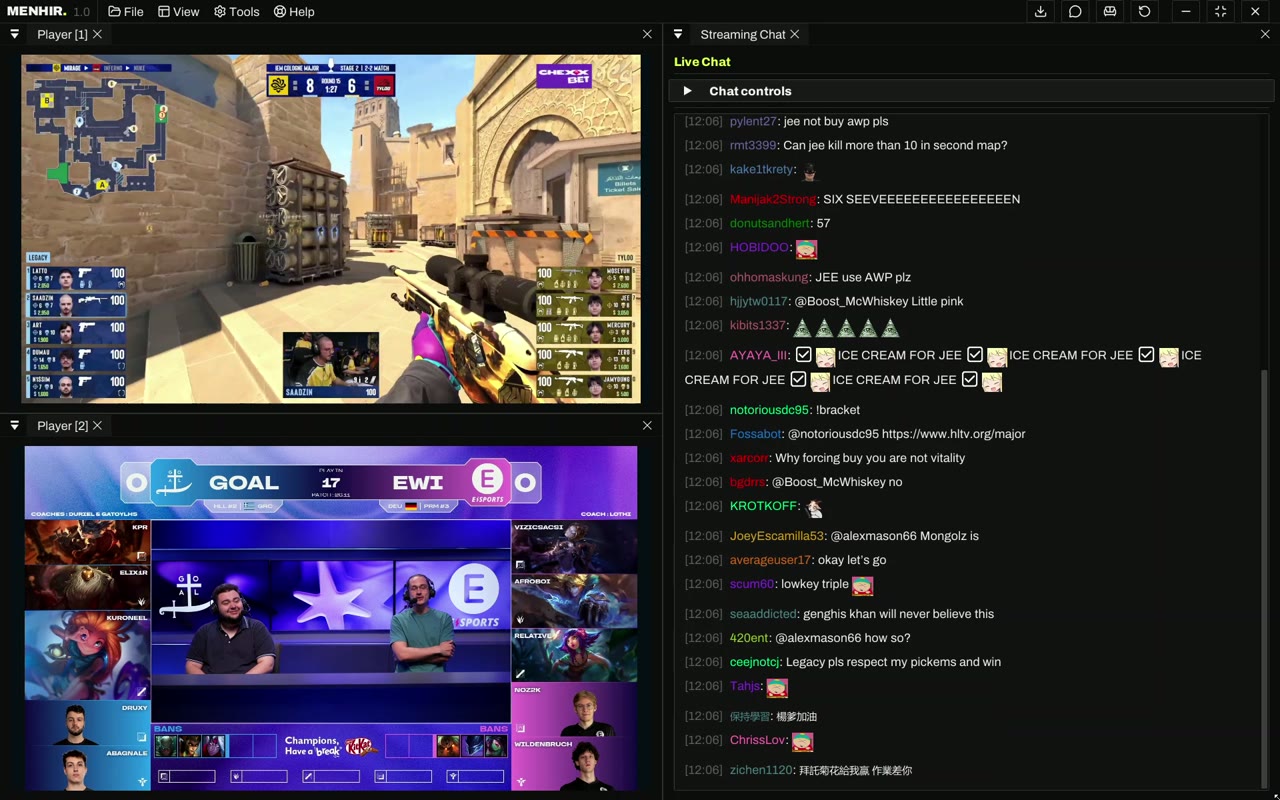
Menhir puts a media player, an audio mixer, a broadcast studio and a recorder in one window, and keeps them in sync. Every tool is a panel. You can split, stack and resize panels, then save the arrangement as a layout.

  • Playback with 10-bit HDR, subtitles and synced lyrics
  • Audio console with routing, EQ, effects and system audio
  • Broadcast studio with scenes, transitions and live publishing
  • Recording, DVR, Live TV and IPTV, multiview
  • Dockable panels and saved layouts
  • C++
  • Dear ImGui
  • Windows 10 / 11 · x64
MENHIR.Media workbench · playback · audio · broadcast
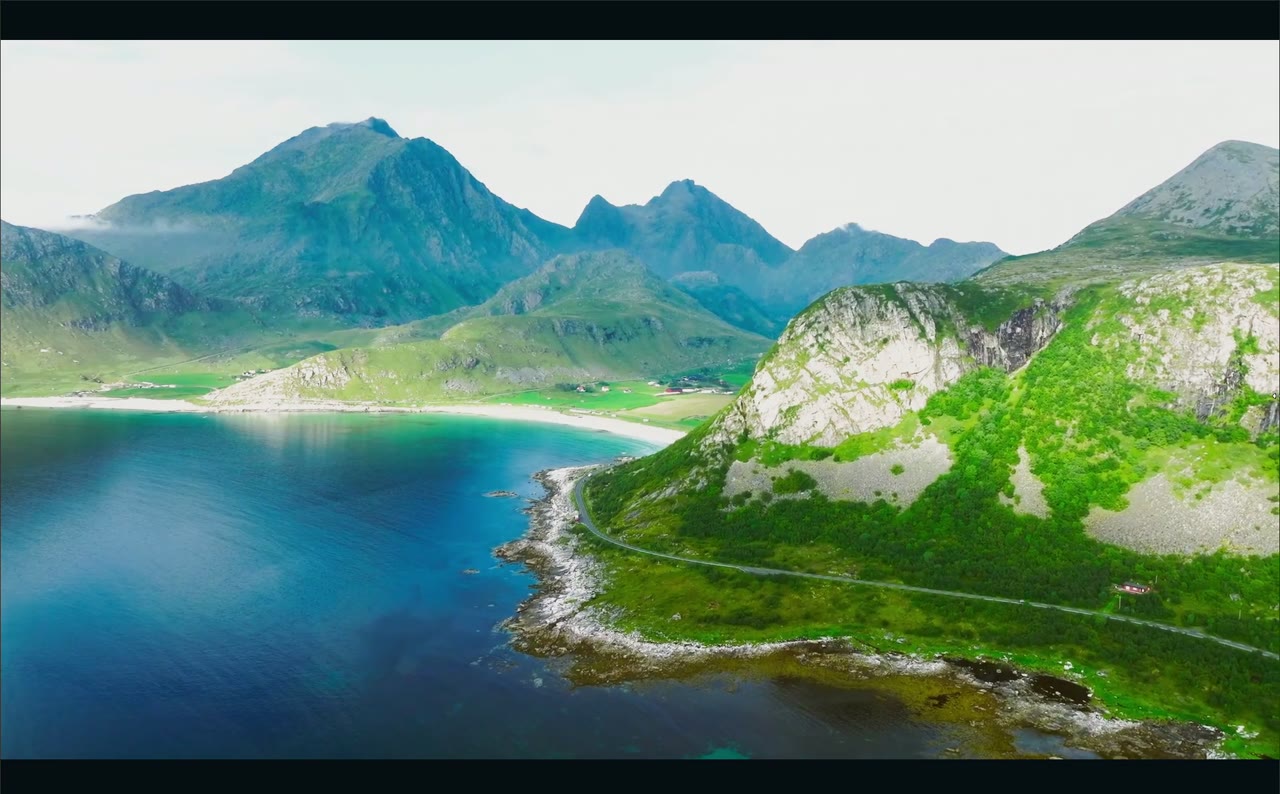
Menhir playing an HDR movie
00 Playback
Menhir karaoke panel with synced lyrics
01 Karaoke
Menhir live streaming multiview with chat
08 Live streaming

02 / desktop · networking

Ultimate Network Manager

Is the connection healthy, and if not, where does it break?

Ultimate Network Manager measures connection quality continuously and tells you whether a problem is on your Wi-Fi or router or further upstream. It keeps that evidence across restarts. When a probe can't collect a value, the app reports the failure instead of showing a number it didn't measure.

  • Live: a plain-language verdict, a score, the last hour, and the path from device to router to internet
  • Diagnose: a layered checkup with repairs, a graded speed test on Measurement Lab servers, DNS benchmark, traceroute and port checks
  • Apps: traffic per process, with firewall controls on Windows
  • Timeline: outages, alerts and percentiles for any period, exported as CSV or HTML
  • A command bar (Ctrl+K) and full keyboard navigation
  • Rust
  • Dioxus
  • Win32 APIs
  • Cross-platform desktop

v4.5.0

03 / engine · tooling · AI

Fortece Engine

A game engine with its editor built in.

Fortece is a C++ game engine with a creation studio. The editor interface is HTML and CSS running in WebView2, and the native D3D12 viewports are composited underneath it on the GPU. C++ owns the saved content, the simulation and the rendering. You can build a scene, play-test it and package a standalone Windows game without leaving Studio.

  • Scene, Modeling, Materials (PBR and shader graphs), Animations with IK
  • VFX with 30 editable bases, native gas and liquid solvers, GPU preview
  • An SFX synth and piano, and UI Studio for menus and HUDs
  • Gameplay behaviors, NPC navigation, Play & Debug, Build & launch
  • A Studio AI assistant connected to the native authoring tools
  • C++
  • Direct3D 12
  • WebView2
  • Native AI tooling

v0.1.0

04 / browser extension · privacy

SnapDump

Collect images from the web into local folders.

SnapDump is a browser extension that collects images from pages in batches and files them into folders on your computer, with the source recorded for each image. It runs on your device and doesn't need an account.

  • A review grid to preview, select and export images in bulk
  • Images sorted into Hero, Gallery and Details buckets
  • Filters by alt text, URL or bucket, and saved sessions
  • Scan every open tab into one session and export it as a ZIP
  • Keyboard shortcuts for review, and per-site capture, naming and packaging
  • WebExtension
  • Browser APIs
  • On-device

v2.24.0

SnapDump review and export view with 75 images selected from color.adobe.com and All, Hero, Gallery and Details filters SnapDump advanced settings with visual effects, keyboard shortcuts and support options

05 / web platform · AI · live

PartwiseBR

PC hardware prices and builds for Brazil.

PartwiseBR compares prices for PC parts across Brazilian stores. Its own AI model, Jev, works out what a part really costs once shipping is included. The site also has interactive guides for people building their first PC.

  • Prices for parts and complete builds across Brazilian stores
  • The PIX price and delivery to your CEP
  • Jev, a proprietary AI model, calculates the total cost
  • Interactive guides for first-time builders
  • Web application
  • Jev AI model

Live at partwisebr.com ↗

partwisebr.com
Partwise home page with component search, category filters and prices from Brazilian stores

02 / Range

Native code to the browser.

The projects sit at different layers of the stack. This is where each one fits.

  1. L0

    Native and real-time

    C++ and Dear ImGui on Windows, with playback, audio and broadcast running in sync.

  2. L1

    Engines and editors

    A C++ engine with D3D12 rendering, a WebView2 editor and native AI tooling.

  3. L2

    Desktop apps in Rust

    Dioxus with continuous measurements, live charts and Windows network APIs.

  4. L3

    Browser extensions

    WebExtension APIs. Everything runs on the user's device, without an account.

  5. L4

    Web and AI

    A production web app that aggregates prices and runs a proprietary AI model.

C++RustJavaScriptWindowsDirect3D 12Dear ImGuiDioxusWebView2WebExtensionsSystems programmingAI integrationCloudflare

03 / Log

Recent updates.

Releases and changes to this site.

  1. site

    decypher.work v0.4.0. New copy, full-size screenshots and a new contact address.

  2. unm

    Ultimate Network Manager v4.5.0.

  3. partwisebr

    PartwiseBR is in production at partwisebr.com.

  4. snapdump

    SnapDump v2.24.0.

04 / Contact

Have a project in mind?

I'm open to collaborations and professional inquiries. Pick a topic and your email app opens with the subject filled in.